Google Pay and Google Wallet: A Comprehensive Guide for UK Users
In the ever-evolving world of digital payments, Google Pay and Google Wallet have emerged as powerful tools for seamless transactions. These services, now integrated into a single platform in the United States, offer users the ability to make contactless payments, manage loyalty cards, and even send money with ease. For UK users, understanding how to set up and use these services is essential for staying ahead in the digital age.
Understanding Google Pay and Google Wallet
Google Pay, formerly known as Android Pay, is a mobile payment service developed by Google. It allows users to make in-app, online, and in-person contactless purchases using their Android devices, tablets, or smartwatches. The service uses near-field communication (NFC) technology to transmit card information securely, replacing traditional credit or debit card chip and PIN or magnetic stripe transactions at point-of-sale terminals.
In the UK, Google Pay is part of the broader Google Wallet app, which serves as a digital wallet for storing cards, tickets, and other important documents. This integration ensures that users can access all their payment methods in one place, making it easier to manage both personal and financial transactions.
Key Requirements for Using Google Wallet
Before diving into the setup process, it’s important to understand the requirements for using Google Wallet. Here are some key points:
- Age Requirement: Users must be at least 16 years old to use Google Pay independently. Minors under 18 require parental permission.
- Google Account: A valid Google account is necessary to access and use the service.
- NFC Compatibility: Your device must support NFC (Near Field Communication) technology to enable contactless payments.
- Android Version: The device should run Android 5.0 Lollipop or higher. However, for adding cards and making contactless payments, Android 7.0 Nougat or later is recommended.
- Supported Banks: Google Wallet supports over 4,000 banks in the US, including major players like Bank of America, Chase, and Citibank. While the UK has its own set of supported institutions, users should check the latest list on Google’s support page for accurate information.
Setting Up Google Wallet
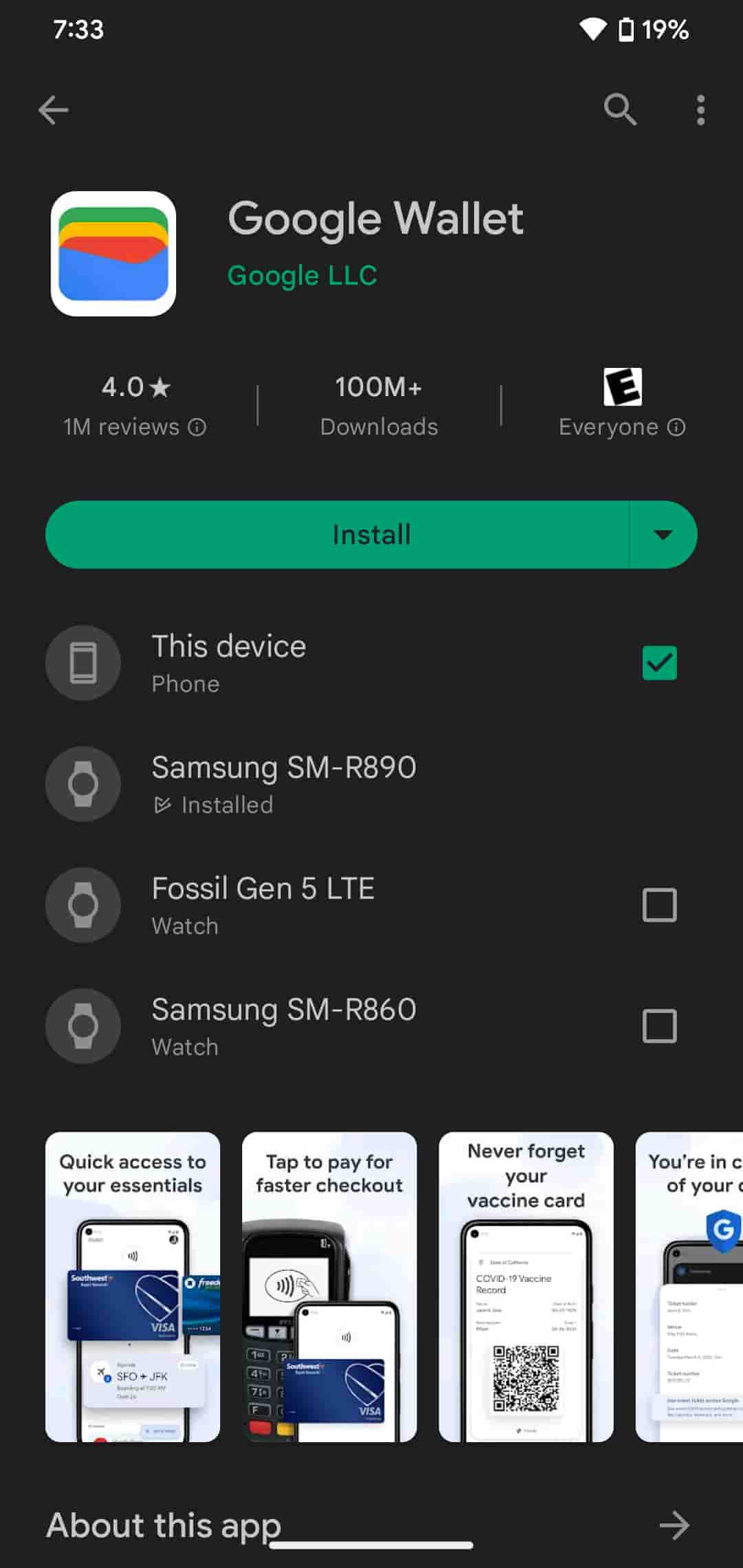
Setting up Google Wallet is a straightforward process. Most Android phones come with the app pre-installed, but if yours doesn’t, you can download it from the Google Play Store. Once installed, follow these steps:
- Launch Google Wallet: Open the app and sign in with your Google account.
- Add a Payment Method: Tap on “Add to Wallet” and select “Payment card.” You can either scan your card using the camera or enter the details manually.
- Verify Your Card: Follow the on-screen instructions to verify your card. This may involve entering a security code or confirming your identity through your bank.
Adding Other Cards and Passes
Beyond credit and debit cards, Google Wallet allows users to add loyalty cards, gift cards, and transit passes. Here’s how to do it:
- Open Google Wallet: Launch the app and tap on “Add to Wallet.”
- Select Card Type: Choose between Transit pass, Loyalty card, Gift card, or Photo.
- Follow Instructions: Complete the setup process according to the type of card you’re adding.
Making Contactless Payments
Once your cards are added, making contactless payments is simple. Here’s how to do it:
- Unlock Your Phone: Ensure your device is unlocked and NFC is enabled.
- Hold Device Near Terminal: Position the back of your device close to the payment terminal for a few seconds.
- Confirm Payment: Wait for the payment to complete. A blue checkmark will appear on your screen once the transaction is successful. If required, enter your PIN or sign the receipt.
You can also use Google Pay within apps like Uber and Airbnb or during online shopping. If the merchant accepts this payment method, tap the Google Pay button at checkout to proceed.
Comparing Google Pay with Competitors
Google Pay faces competition from services like Samsung Wallet and Apple Pay. While Apple Pay is widely used and works seamlessly on Apple devices, its exclusivity limits its reach. Similarly, Samsung Wallet is exclusive to Samsung devices. In contrast, Google Pay is compatible with any modern Android device, making it a more versatile option for UK users.
Frequently Asked Questions
- Is Google Wallet free to use? Yes, Google Pay and Wallet are free services. However, fees from banks or card issuers may apply for overdrafts or international transactions.
- Can I use Google Wallet internationally? Generally, yes. However, specific features may vary by country. Check Google’s support page for the latest information on availability.
- Can minors use Google Pay? Minors need to be at least 16 and have parental permission to use Google Pay.
- Are there transaction limits? Google Pay is designed for daily use, with a maximum spending limit of $5,000 per day.
Conclusion
Google Pay and Google Wallet offer a convenient and secure way to manage digital payments in the UK. Whether you’re making in-store purchases, sending money, or managing loyalty cards, these services provide a streamlined experience. By understanding the setup process and requirements, UK users can fully leverage the benefits of mobile payments. As the digital landscape continues to evolve, staying informed about these tools is essential for navigating the future of finance.