The Best Dictation Software of 2025: A Comprehensive Guide for U.S. Users
In the fast-paced world of modern technology, dictation software has evolved from a niche tool to an essential asset for professionals, students, and individuals with disabilities. With advancements in artificial intelligence and natural language processing, these tools now offer accuracy levels exceeding 90%, making them more reliable than ever before. This article explores the best dictation software options available in the United States for 2025, highlighting their features, benefits, and ideal use cases.
Why Dictation Software Matters
Dictation software allows users to convert spoken words into text, eliminating the need for typing. This is particularly beneficial for those with physical limitations such as repetitive strain injury (RSI) or other disabilities that make typing difficult. Additionally, it saves time and energy, especially for tasks like note-taking, email drafting, or writing long documents. While dictation software has been around since the 1990s, early versions were often criticized for low accuracy. However, recent technological advancements have significantly improved performance, making these tools more practical and user-friendly.
Key Features to Consider
When choosing the best dictation software, consider the following factors:
– Accuracy: Look for tools with high transcription accuracy.
– Ease of Use: Choose software that is intuitive and requires minimal setup.
– Language Support: Ensure the software supports the languages you need.
– Platform Compatibility: Check if the software works on your devices (desktop, mobile, etc.).
– Additional Features: Some tools offer voice commands, formatting options, and integration with other applications.
Top Dictation Software for Microsoft 365 Users
Microsoft Word’s built-in speech-to-text converter is one of the most popular dictation tools. It is included with all Microsoft 365 subscriptions and offers accurate transcription with support for multiple languages. The software uses advanced neural networks to improve its ability to transcribe voice to text. It is straightforward to use, requiring no installation or setup. Users can dictate text directly within Word, and the software supports voice commands for punctuation and formatting. For businesses, this tool is an excellent choice due to its reliability and ease of integration.
Best Dedicated Dictation Software: Dragon Professional Individual

Dragon Professional Individual, developed by Nuance, is widely regarded as the gold standard in dictation software. It leverages deep learning and artificial neural networks to adapt to different accents, ambient noise, and speaking styles. The software is highly accurate, with a 99% success rate in transcribing text. It also offers industry-specific versions, such as Dragon Legal and Dragon Medical One, tailored for legal and medical professionals. While the cost may be a drawback for some, Nuance currently offers free access to Dragon Anywhere with any purchase of Dragon Home or Dragon Professional Individual.
Best Value Dictation Software: Otter
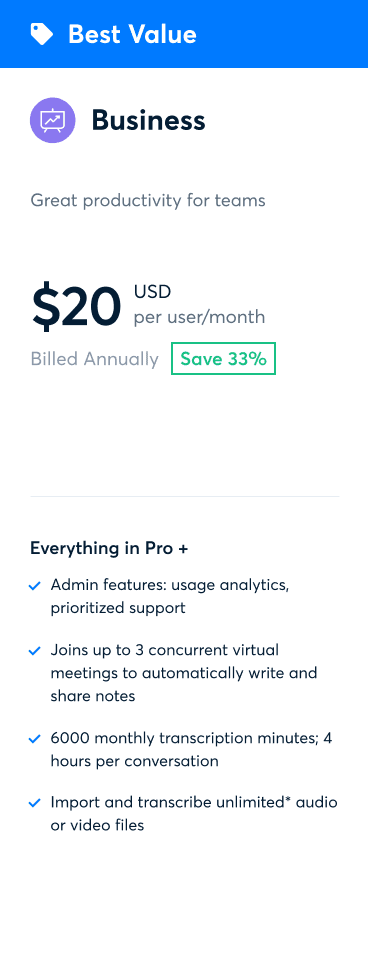
Otter is a cost-effective alternative to Dragon, offering advanced features such as speaker identification, which is ideal for meetings or multi-speaker scenarios. It supports both desktop and mobile platforms and provides a free plan with 600 minutes of transcription per month. The Premium Plan includes 6,000 minutes and additional features, while the Teams Plan offers enterprise-specific tools. Otter’s user-friendly interface and cloud-based functionality make it a great option for those looking for value without compromising on quality.
Best Dictation Software for On-the-Go Users: Dragon Anywhere

Dragon Anywhere is a mobile version of Dragon Professional Individual, designed for users who need to dictate text on the go. It offers similar accuracy and performance to the desktop version, utilizing cloud-based datasets and deep learning algorithms. The app allows users to teach the software new words and expand its vocabulary, ensuring a personalized experience. However, it lacks the ability to move transcribed text directly to other applications, which may be a limitation for some users.
Best Free Dictation Software for Apple Users: Apple Dictation
Apple’s built-in dictation software is a free solution for iOS and macOS users. It is easy to use, requiring no installation or setup. While it is not as accurate as some paid alternatives, it offers a 95% accuracy rate and is suitable for infrequent use. The software can be accessed via the on-screen keyboard on iOS devices or through a keyboard shortcut on macOS. It is ideal for users who need a simple, free dictation tool for occasional use.
Best Dictation Software for Google Users: Google Docs Voice Typing
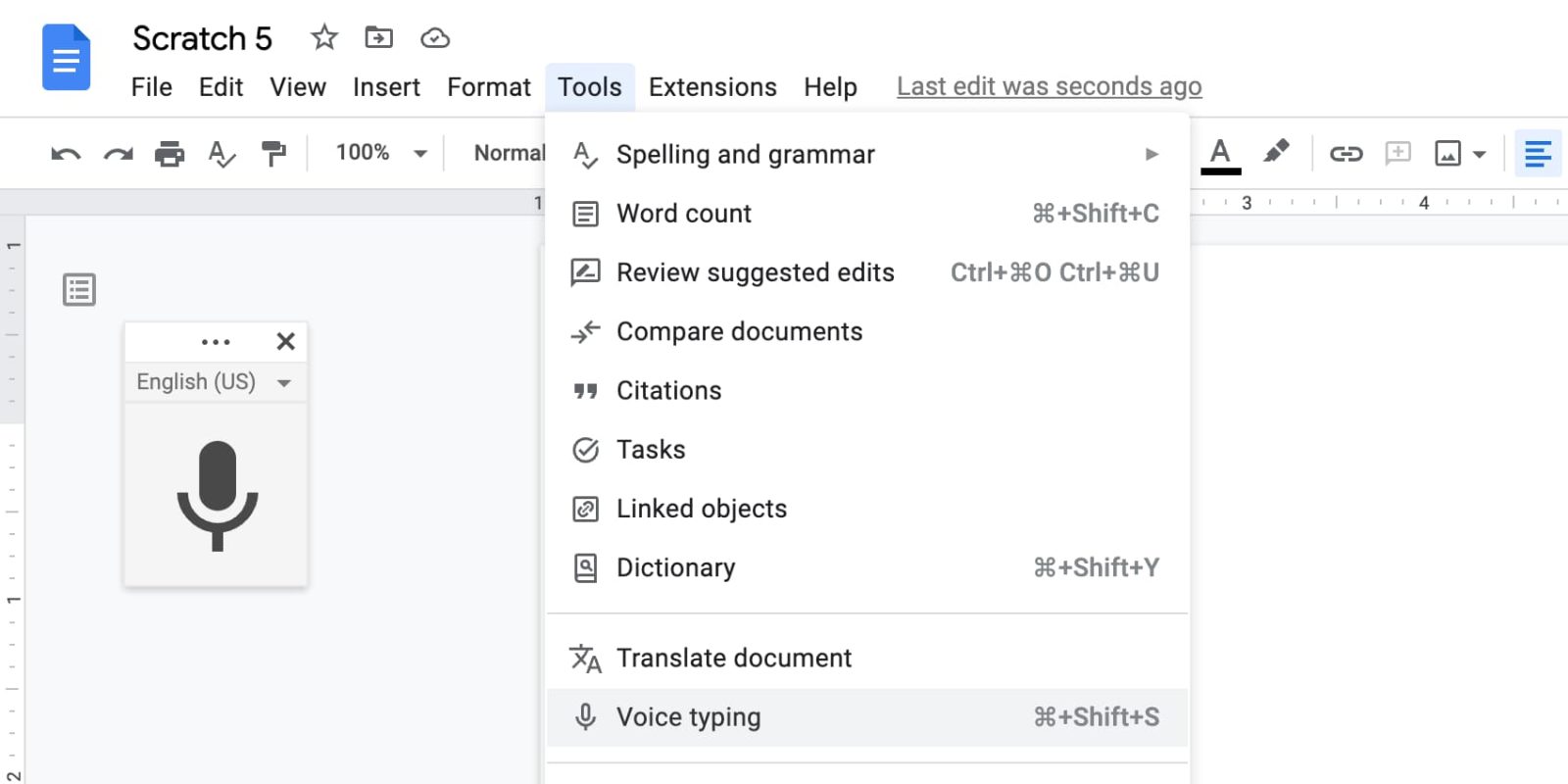
Google Docs Voice Typing is a free and user-friendly dictation tool integrated into Google Docs. It is accessible via a web browser and requires a Google account. The software is easy to use, with a simple interface that allows users to start dictating with a click of the microphone button. However, it requires an internet connection and may not be suitable for offline use. Despite this limitation, it is a reliable option for users who prefer to work within the Google ecosystem.
Best Dictation Software for Multi-Linguists: SpeechTexter

SpeechTexter is a free online tool that supports over 70 languages, making it an excellent choice for multilingual users. It allows users to dictate text directly in their browser and supports both English and less common languages. While it is free to use, it lacks a desktop or iOS app, which may be a drawback for some users. The software is accurate for English but may struggle with other languages due to limited training data.
Best Dictation Virtual Assistant: Braina Pro

Braina Pro is a sophisticated speech recognition program that supports over 100 languages. It offers high accuracy and is available as an Android and iOS app. The software can be used to fill out online forms or type on Microsoft Word, making it a versatile tool for various tasks. It also allows users to train the software to recognize custom words and commands, providing a personalized experience. However, it does not offer a free version, which may be a barrier for some users.
Best Dictation Software for iCloud Users: Just Press Record
Just Press Record is an audio tool specifically designed for iOS users. It allows users to dictate text and transcribe it into searchable text, with support for over 30 languages. The app syncs with iCloud, enabling users to access their recordings and transcriptions across devices. While it is user-friendly and visually appealing, it is not free and requires a small payment for download. It is an excellent choice for users who rely on Apple’s ecosystem and need a reliable dictation tool.
Conclusion
Choosing the right dictation software depends on your specific needs, budget, and preferred platform. Whether you’re a professional needing advanced features, a student looking for a budget-friendly option, or someone with a disability requiring accessibility tools, there is a dictation software that suits your requirements. By leveraging the power of AI and natural language processing, these tools have become indispensable in today’s digital landscape, offering efficiency, accuracy, and convenience. As technology continues to evolve, we can expect even more improvements in the future, making dictation software an even more valuable asset for users across the United States.