What Is Apple Pay and How Does It Work? A Complete Guide
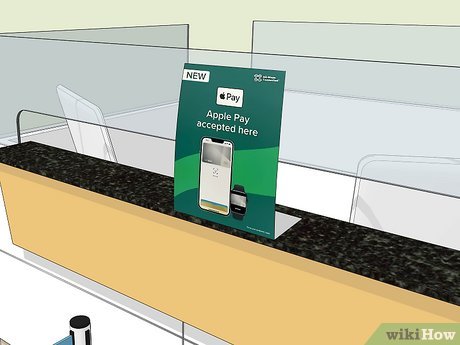
Apple Pay has revolutionized the way people make payments, offering a secure and convenient alternative to traditional credit and debit cards. Launched in 2014, Apple Pay is a mobile payment system developed by Apple Inc. that allows users to make purchases using their iPhone, Apple Watch, iPad, or Mac. With its integration of near-field communication (NFC) technology, Apple Pay enables contactless payments at physical stores, as well as online transactions through apps and websites. This guide will explore what Apple Pay is, how it works, its security features, and how it compares to other digital wallet services.
What Is Apple Pay?
Apple Pay is a digital wallet service that lets users store their credit and debit card information securely on their Apple devices. Instead of swiping a physical card, users can simply tap their device near a contactless payment reader to complete a transaction. The service was introduced in 2014 and quickly gained popularity due to its ease of use and strong security measures.
Apple Pay is available on a range of Apple products, including:
- iPhone models with Face ID or Touch ID (excluding the iPhone 5s)
- iPad models with Touch ID or Face ID
- Apple Watch Series 1 and later
- Mac models with Touch ID or Face ID
This wide compatibility ensures that Apple Pay is accessible to most Apple users, making it a versatile option for both everyday and occasional shoppers.
How Does Apple Pay Work?
The core functionality of Apple Pay relies on near-field communication (NFC) technology. When a user wants to make a payment, they unlock their device and bring it close to a contactless payment terminal. The NFC chip in the device communicates with the terminal to process the transaction.
Here’s a step-by-step breakdown of how Apple Pay works:
1. Add Your Cards
To start using Apple Pay, you need to add your credit or debit cards to the Apple Wallet app. You can do this by either scanning the card with your iPhone camera or manually entering the details. Once added, Apple Pay generates a device-specific token (a unique number that replaces your actual card information).
2. Select a Card
When making a purchase, open the Apple Wallet app or select the card you want to use. You can also set a default card for quicker access.
3. Authenticate the Payment
Depending on your device, you’ll need to authenticate the payment using either Face ID, Touch ID, or a passcode. For Apple Watch, a double-tap on the side button is sufficient.
4. Complete the Transaction
Once authenticated, hold your device near the contactless payment reader. A checkmark and “Done” will appear on the screen once the transaction is successful.
Security Features of Apple Pay
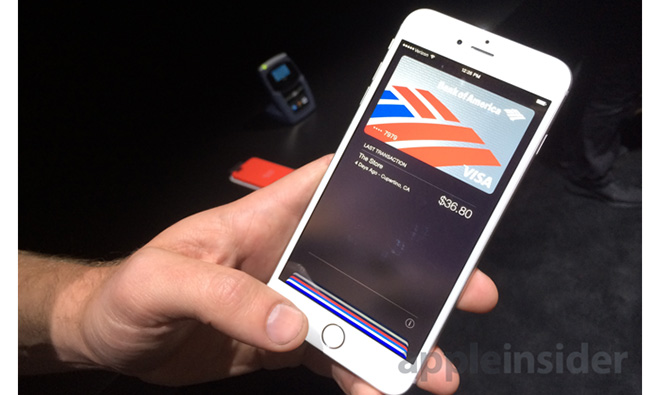
One of the key advantages of Apple Pay is its robust security. Unlike traditional credit cards, where your card number is transmitted during a transaction, Apple Pay uses tokenization to protect your financial information.
Tokenization Explained
When you add a card to Apple Pay, Apple contacts the issuing bank to generate a Device Account Number (DAN). This token is stored on a secure chip within your device and is used instead of your actual card number during transactions. Even if a merchant’s system is compromised, your real card details remain safe.
Additionally, Apple Pay requires biometric authentication (Face ID or Touch ID) or a passcode to authorize each transaction. This ensures that only the authorized user can make purchases.
Apple Pay vs. Google Wallet
While Apple Pay and Google Wallet (now known as Google Pay) both offer similar functionalities, there are notable differences in their approaches:
| Feature | Apple Pay | Google Wallet |
|---|---|---|
| Authentication | Face ID / Touch ID | PIN-based |
| Compatibility | Limited to Apple devices | Works on Android and iOS devices |
| Security | Tokenization | Intermediary role with virtual cards |
| Online Payments | Yes | Yes |
| P2P Payments | No | Previously available but discontinued in the U.S. |
Apple Pay’s focus on tokenization and biometric authentication makes it particularly secure, while Google Wallet’s PIN-based system offers broader compatibility across different devices.
Benefits of Using Apple Pay
There are several reasons why Apple Pay has become a popular choice among consumers:
1. Convenience
Apple Pay eliminates the need to carry physical cards, allowing users to make payments with just a tap of their device.
2. Speed
Transactions are completed in seconds, reducing wait times at checkout counters.
3. Security
As discussed earlier, Apple Pay’s tokenization and biometric authentication provide a high level of protection against fraud.
4. Rewards and Offers
Many retailers and banks offer exclusive rewards or discounts for Apple Pay users.
5. Integration with Other Services
Apple Pay seamlessly integrates with other Apple services, such as Apple Music, Apple TV+, and more.
Can I Use Apple Pay Online?

Yes, Apple Pay is widely accepted for online purchases. To use it, look for the Apple Pay button when checking out on a website or in an app. You can also use Apple Pay in Messages for Business and iMessage extensions.
For online transactions, Apple Pay automatically fills in your billing and shipping information, making the checkout process faster and more streamlined.
Are There Any Fees Associated with Apple Pay?
No, Apple Pay does not charge consumers any fees. Instead, Apple earns revenue from the banks that issue the cards linked to Apple Pay. This means users can enjoy the convenience of Apple Pay without worrying about additional costs.
How to Add a Card to Apple Pay

Adding a card to Apple Pay is a straightforward process:
- Open the Wallet app on your iPhone, iPad, or Apple Watch.
- Tap the + icon to add a new card.
- Either scan the card with your camera or enter the details manually.
- Follow the prompts to verify the card with your bank.
- Set a default card for quick access.
Once added, your card will be ready to use for both in-store and online purchases.
Final Thoughts
Apple Pay has redefined the way we think about digital payments, offering a secure, convenient, and user-friendly experience. Whether you’re shopping in-store, online, or using third-party apps, Apple Pay provides a seamless way to pay without the hassle of carrying physical cards.
With its emphasis on security, speed, and integration with the Apple ecosystem, Apple Pay continues to be a top choice for millions of users worldwide. As technology evolves, it’s likely that Apple Pay will only become more advanced and widely adopted in the future.